
Question
How do I make timesheet fields required?
Answer
You can make any work item or other Timesheet Field in a user timesheet required.
- Navigate to Settings>Templates>choose the timesheet template you want to modify.
- Click Edit.
- Note in Timesheet Fields each timesheet field has three dots (…).
- Click on … of the timesheet field you wish to set as required
- Field options will display.
- Within Field Options check required.
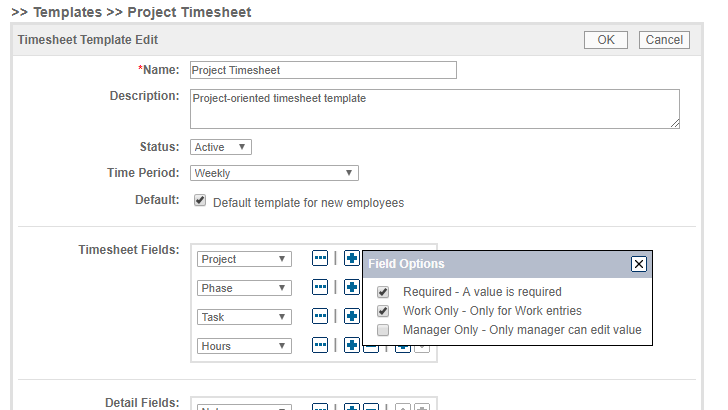
Now when a user submits their timesheet, they will get a “required field” validation error if they do not have a value in a required timesheet field.
Comments
0 comments
Please sign in to leave a comment.